For a monthly Windows update cycle, install the latest cumulative security update and Microsoft Defender security intelligence immediately, then stage .NET and feature-related updates after a short pilot. Defer optional preview updates and most driver/firmware pushes unless they fix your exact issue. Use a simple ring rollout and keep a rollback path ready.
Immediate actions and monthly update verdict
- Install the latest cumulative security update (LCU) first; it closes the highest-risk Windows vulnerabilities.
- Update Microsoft Defender security intelligence ASAP, even if you defer other patches.
- Defer optional preview (C-week) updates unless you need a specific fix.
- Apply .NET updates after a small pilot group validates business apps.
- Only take driver/firmware updates when you have a matching problem or a vendor-required security advisory.
This month's critical CVEs and impact overview
This guidance fits intermediate Windows admins and power users in Thailand managing a single PC, SMB fleets, or enterprise estates who want a safe approach to the อัปเดต Windows ล่าสุด. Do not rush changes on systems with fragile legacy apps, regulatory freeze windows, or unmanaged BIOS/BitLocker states-pilot first and ensure recovery keys and rollback options are in place.
| Patch / update type | CVE ID | Severity | Recommended action |
|---|---|---|---|
| Latest cumulative update (LCU) Verdict: Install now Rationale: Primary monthly security payload; highest exposure reduction for internet-facing endpoints and email-heavy users. |
Multiple (varies by build) | Critical/Important mix | Apply immediately (single PC / SMB / enterprise via rings) |
| Microsoft Defender security intelligence Verdict: Install now Rationale: Fast-moving threat coverage; low disruption; helps even when OS patching is staged. |
N/A (signatures) | High operational value | Apply immediately (all environments) |
| .NET cumulative update Verdict: Pilot then deploy Rationale: Can affect line-of-business apps; risk is usually compatibility rather than boot failure. |
Multiple (varies by build) | Important | Deploy after pilot (SMB/enterprise), or after a restore point (single PC) |
| Servicing Stack Update (SSU) Verdict: Take when offered Rationale: Improves update reliability; typically prerequisite plumbing with minimal user impact. |
N/A | Reliability | Install with LCU when bundled; otherwise schedule soon |
| Optional preview update (C-week) Verdict: Wait Rationale: Non-security preview; higher chance of regressions; better to let early adopters surface issues. |
N/A (non-security) | Moderate risk of regression | Defer unless it fixes your documented problem |
| Drivers/firmware via Windows Update Verdict: Selective Rationale: Wrong/untested drivers can break VPN, audio, printing, or graphics; prefer vendor-managed rollouts. |
N/A | Varies | Defer by default; install only when needed |
Security patches to apply immediately and why
Prepare these items before you ดาวน์โหลดอัปเดต Windows 10 or ดาวน์โหลดอัปเดต Windows 11 across devices:
- Admin rights and recovery access: local admin, BitLocker recovery keys, and a tested sign-in method (VPN/SSO fallback if applicable).
- Backup/rollback capability: restore point (single PC) or snapshot/backup for critical endpoints/servers (SMB/enterprise).
- Update channel control: Windows Update for Business policies, WSUS/MECM/Intune, or at minimum active-hours and restart rules.
- Disk space and reboot window: ensure enough free space and schedule reboots to avoid half-applied states.
- Health baseline: confirm time sync, stable network/DNS, and that the device isn't already failing updates.
Updates you can safely defer and monitoring cues
- Install only the security LCU (and SSU if offered). Apply the monthly cumulative security update first; it's the core risk reducer. If the SSU is separate, schedule it close to the LCU to reduce future update failures.
- Update Defender security intelligence immediately. Do this even during a patch freeze because it rarely breaks apps and improves detection quickly.
- Single PC: run Windows Security updates and reboot only if prompted.
- SMB/enterprise: verify signatures update via your endpoint security telemetry.
- Defer optional preview updates (C-week). Skip "Preview" items unless release notes match your exact issue (e.g., printing crash, VPN break). Monitor known-issues notes for your Windows build and wait for the next security LCU if unsure.
- Pilot .NET and app-stack updates before broad rollout. Start with a small ring (IT + a few business users), focusing on critical apps (ERP, accounting, VPN clients, browsers, printing).
- Keep drivers/firmware on a separate, slower track. Only approve driver updates when you have a reproducible problem and a rollback plan; otherwise prefer vendor tools or controlled enterprise deployment.
Fast mode (3-5 steps)
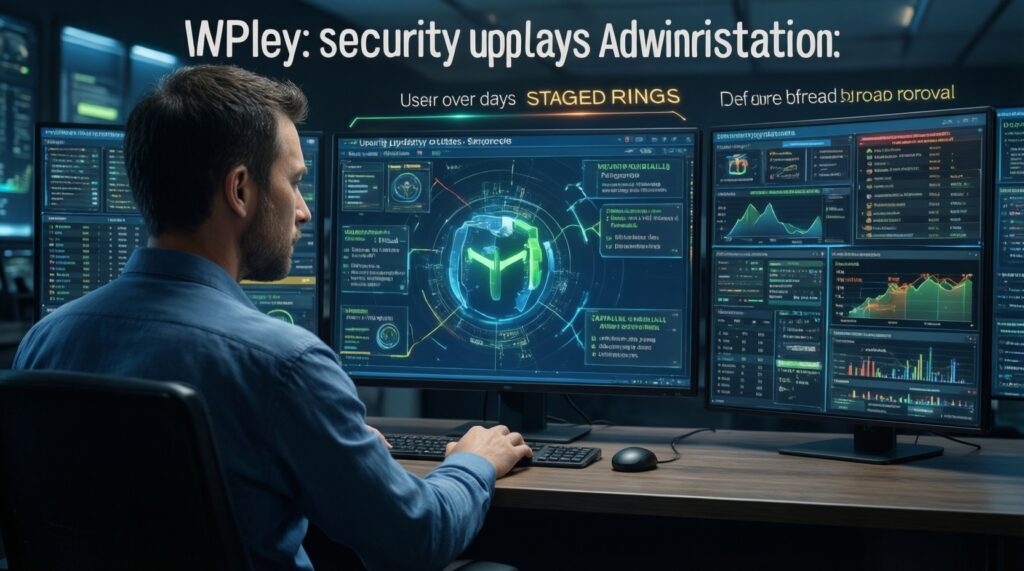
- Patch Ring 0: IT devices get the security LCU + Defender intelligence first.
- Patch Ring 1: 10-20% of users (or a small SMB subset) after basic app/VPN/print checks.
- Patch Ring 2: everyone else after 24-72 hours of stable operation.
- Defer: optional preview updates and drivers unless they fix your issue.
How to triage patches for mixed Windows estates
Use this verification checklist after deployment (single PC / SMB / enterprise):
- Confirm the device is on the expected Windows version/build and the latest cumulative update is installed.
- Validate sign-in paths: local login, Azure AD/AD login, and VPN access (if used).
- Run core app smoke tests: browser + office suite + one critical line-of-business app.
- Test printing (local and network), especially if your org depends on shared printers.
- Check security stack: Defender status, real-time protection enabled, and signatures current.
- Verify disk encryption health: BitLocker enabled, recovery key escrowed, and no repeated recovery prompts.
- Review Event Viewer for update failures and reboot loops; confirm services start normally.
- Spot-check peripherals: audio, webcam, docking, and Wi‑Fi stability after reboot.
- Confirm remote management: RDP/remote tools and device management enrollment still work.
Testing, rollback and emergency mitigation steps

Common mistakes that lead to incidents-avoid these, especially when you need to แก้ปัญหา Windows Update under pressure:
- Skipping a pilot ring: deploying to everyone first makes small compatibility issues become a major outage.
- No reboot coordination: half your fleet stuck on "pending restart" creates inconsistent behavior and support load.
- Updating drivers with the security wave: mixing changes makes root-cause analysis harder and increases rollback scope.
- Insufficient free space: leads to failed servicing, long rollbacks, or repeated update attempts.
- Missing BitLocker recovery readiness: firmware/boot changes can trigger recovery prompts; ensure keys are accessible.
- Ignoring known issues: if a known issue matches your environment (VPN, printing, specific security software), pause and apply the vendor workaround.
- Disabling security controls as a fix: turning off Defender/firewall to "make it work" often creates a bigger risk.
- No rollback plan: know how to uninstall the last quality update, use Safe Mode, or restore from backup.
- Rollback checklist:
- Document the exact symptom, affected apps, and the time it started.
- Stop further rollout (pause approvals / rings).
- Attempt targeted mitigation first (app update, driver rollback, vendor hotfix).
- If needed, uninstall the last quality update on affected machines only.
- Confirm recovery: boot, sign-in, VPN, printing, and business app function.
- Capture logs for postmortem before reattempting deployment.
Practical deployment schedule and automation tips
Alternatives that fit different operational models, including organizations offering or buying บริการดูแลระบบ Windows อัปเดตรายเดือน:
- Windows Update for Business rings (recommended for SMB): Use Intune or Group Policy to create 2-3 rings (IT, pilot, broad). Best when you want automation with basic controls and minimal infrastructure.
- WSUS approval workflow (good for controlled networks): Approve LCUs quickly for pilot, then broad. Best when bandwidth control, reporting, and selective approvals matter.
- MECM/ConfigMgr phased deployments (enterprise): Rich compliance reporting and staged rollouts; ideal for complex app dependencies and change control.
- Managed patching service (SMB/enterprise): Useful if you lack staff for testing/rollback discipline; require clear SLAs for pilot scope, rollback handling, and reporting cadence.
Common deployment concerns and quick answers
Should I install the monthly cumulative update on day one?

Yes for most devices: deploy to an IT/pilot ring immediately, then broaden after basic validation. If you run fragile legacy apps or had recent update incidents, wait for pilot feedback before broad rollout.
Is it safe to skip optional "Preview" updates?
Yes. Preview updates are not required for security and are better treated as early testing unless they contain a fix you specifically need.
What's the safest way to ดาวน์โหลดอัปเดต Windows 11 on a single PC?
Use Settings > Windows Update, ensure you have a backup/restore point, then install the latest cumulative update and reboot promptly. Avoid installing optional drivers at the same time.
What's the safest way to ดาวน์โหลดอัปเดต Windows 10 for an SMB fleet?
Use rings via Intune/Group Policy or WSUS approvals: IT first, then a small pilot group, then the rest. Keep driver updates on a slower track.
How do I quickly spot a bad patch versus a local device issue?
If the same symptom appears across multiple devices after the same update, treat it as patch-related and pause rollout. If it's isolated to one device, troubleshoot health, disk space, and corrupted components first.
What are the first steps to แก้ปัญหา Windows Update failures?
Reboot, confirm time/DNS/network stability, and check free disk space. Then review update history and error codes before attempting component repair or manual installation.
When does a บริการดูแลระบบ Windows อัปเดตรายเดือน make sense?
When you can't reliably pilot, monitor, and roll back updates with your current staff. Choose a provider that supports ring-based rollout, clear reporting, and documented rollback procedures.