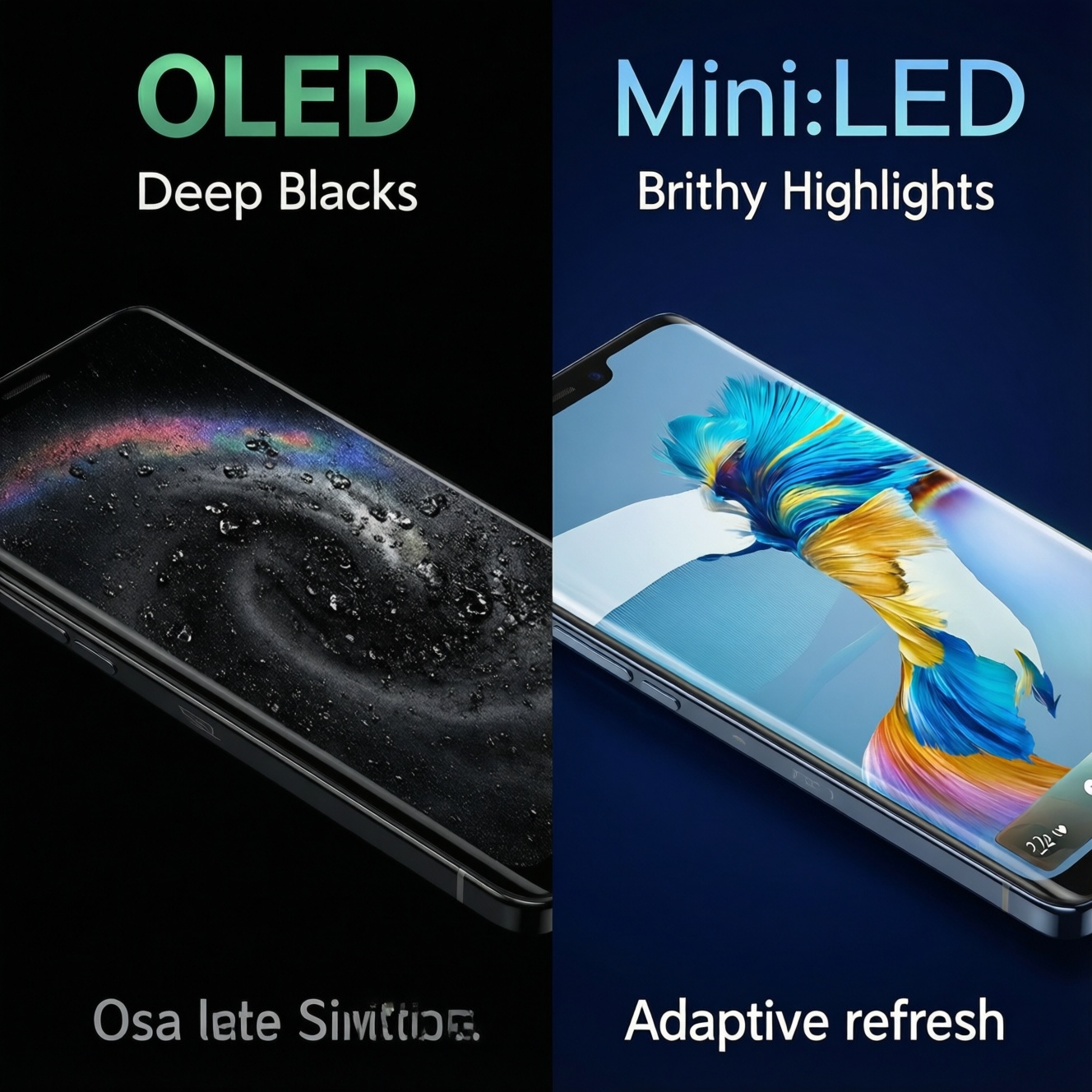
Choose OLED when you prioritize perfect blacks, fast response, and image depth for movies, creative review, and high-contrast UI-accepting some risk of PWM flicker and burn-in. Choose mini‑LED when you need sustained high brightness and safer long static use. Choose LTPO OLED on phones when you want OLED quality plus better battery via adaptive refresh.
Essential display criteria at a glance
- Ambient light: bright rooms and daytime use favor higher sustained brightness (often mini‑LED); dark-room viewing favors OLED contrast.
- Static UI time: spreadsheets, tickers, HUDs and always-on elements lean toward mini‑LED or careful OLED usage.
- Flicker sensitivity: check for PWM/low-frequency dimming behavior before committing to OLED or LTPO OLED.
- Refresh strategy: fixed high refresh for esports; adaptive refresh (LTPO) for mixed use and battery.
- HDR goal: OLED for per-pixel black control; mini‑LED for brighter highlights and less ABL impact.
- Longevity plan: know pixel-shift, logo dimming, panel care cycles, and what warranties actually cover.
How OLED, mini‑LED and LTPO work: technology and trade-offs
Use these selection criteria to decide between OLED, mini‑LED LCD, and LTPO OLED without guessing. If you're searching in Thai like จอ OLED คืออะไร ราคา or comparing product pages, focus on measurable behaviors rather than marketing labels.
- Black level and haloing: OLED turns pixels off for true blacks; mini‑LED relies on local dimming zones that can bloom around bright objects.
- Sustained vs peak brightness: mini‑LED can often hold brightness longer across large bright areas; OLED may reduce brightness in full-screen bright scenes (ABL behavior).
- Motion clarity: OLED typically has near-instant pixel response; mini‑LED LCD depends more on panel response and overdrive tuning.
- Refresh rate control: LTPO OLED can dynamically step refresh (e.g., down during reading, up during scrolling/gaming) to save power; standard OLED usually has fewer adaptive steps.
- Flicker/PWM risk: some OLED/LTPO implementations dim via PWM at frequencies that bother sensitive users; mini‑LED LCD may still flicker depending on backlight control, but behavior differs.
- Burn-in/image retention exposure: OLED is more vulnerable with repetitive static elements; mini‑LED LCD is generally safer for static UIs.
- Viewing angles: OLED holds color/contrast well off-axis; many LCDs shift more, though premium panels can be improved.
- Power usage profile: OLED can be efficient on dark UI; mini‑LED power is less content-dependent and can rise with high backlight output.
Matching displays to tasks: content creation, gaming, productivity and long‑form reading
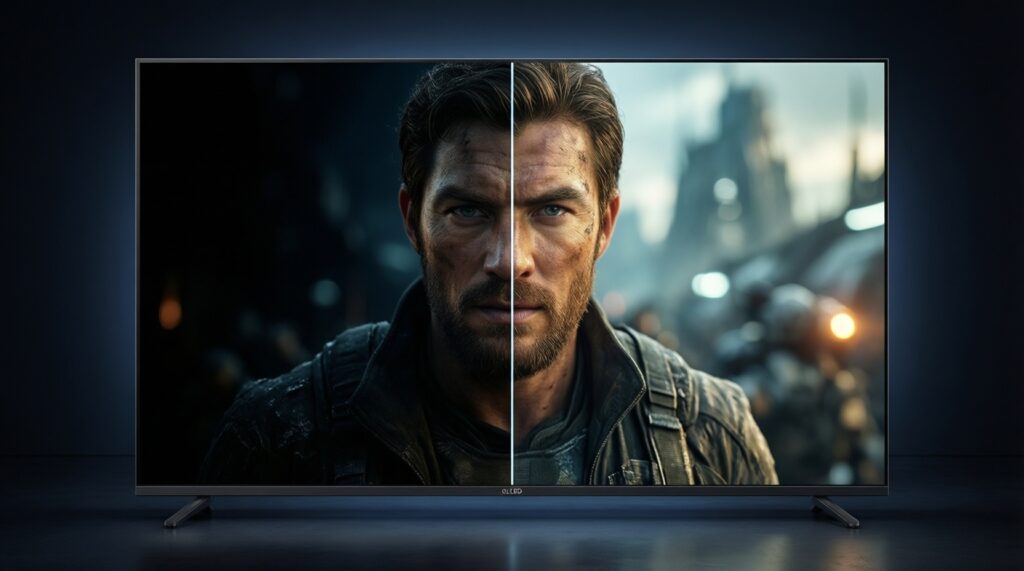
If your question is essentially เปรียบเทียบ OLED กับ mini LED แบบไหนดีกว่า, the practical answer depends on what you do most hours per week. Use the options below as "display packages" rather than brands.
| Variant | Who it fits | Pros | Cons | When to choose |
|---|---|---|---|---|
| OLED (TV/monitor) | Film lovers, creators reviewing contrast, gamers who value motion clarity | Perfect blacks; strong perceived depth; fast pixel response | Burn-in risk with static UI; brightness limiting in large bright scenes; possible PWM | Mostly mixed content (video/gaming), controlled UI habits, moderate room light |
| mini‑LED LCD (TV/monitor) | Office-heavy users, bright-room viewing, long sessions with static layouts | High sustained brightness; safer for static content; strong HDR impact with good dimming | Blooming/haloing; black level depends on local dimming; viewing-angle shifts on some panels | Bright room, lots of spreadsheets or news tickers, or you want HDR pop without OLED care routines |
| LTPO OLED (smartphone) | Power users on mobile, creators shooting/editing on phone, frequent outdoor use | Adaptive refresh can cut battery drain; OLED contrast; smooth scrolling when needed | PWM sensitivity can still apply; long static UI can still be a risk; varies widely by model | You're literally asking มือถือจอ LTPO รุ่นไหนดี because you want flagship-level display feel plus better battery during reading/idle |
| Standard OLED (smartphone) | Everyday mobile users who prioritize image quality | Great contrast; vibrant HDR look; thin and light devices | Less flexible refresh/power optimization than LTPO; PWM behavior varies | You want OLED look but can accept less granular adaptive refresh control |
| Quality IPS/VA LCD (non mini‑LED) | Budget-conscious productivity users | Predictable behavior; often minimal burn-in concerns; good for static work | Weaker blacks; HDR is usually limited; motion/contrast depend on panel type | You want simple, reliable office use and can sacrifice HDR/black depth |
For shopping context in Thailand, you'll often compare listings like ทีวี mini LED ราคา against OLED models. Treat "mini‑LED" as a local-dimming capability tier; verify zone performance in reviews, because two mini‑LED TVs can behave very differently.
Eye comfort factors: blue light, PWM/flicker, brightness control and HDR behavior
Eye comfort is mostly about stability of light output, usable brightness without strain, and how you manage contrast. If your search is จอถนอมสายตา ลดแสงสีฟ้า รุ่นไหนดี, prioritize these testable checks over "blue light" stickers.
- If you get headaches from dim screens at night, then test OLED/LTPO for PWM sensitivity: lower brightness often increases flicker visibility; prefer devices with DC-like dimming behavior or higher-frequency modulation.
- If you read for hours, then set a comfortable baseline (not the minimum slider): use warm color temperature at night, moderate brightness, and avoid aggressive auto-brightness swings.
- If you work with white documents all day, then mini‑LED or good LCD can feel easier because it can hold moderate brightness steadily without ABL shifts; on OLED, use dark mode where practical and keep large white backgrounds slightly dimmer.
- If you watch HDR in a dark room, then reduce peak brightness targets and use filmmaker/cinema modes; extreme HDR settings can cause eye fatigue regardless of panel type.
- If you game with high HUD usage, then lower static UI brightness, enable HUD transparency when available, and consider mini‑LED for long sessions to reduce burn-in anxiety.
Comparative performance table: resolution, contrast, color, refresh and power
- Set your main workload: mostly video/gaming (lean OLED) vs mostly static productivity (lean mini‑LED/LCD) vs mobile mixed use (consider LTPO OLED).
- Decide your brightness need: bright room/daylight viewing pushes you toward panels that sustain brightness comfortably.
- Check flicker risk early: test at your usual night brightness; if you're sensitive, deprioritize OLED models with uncomfortable PWM behavior.
- Match refresh to usage: competitive gaming wants consistent high refresh and good motion tuning; reading benefits more from stable brightness than extreme refresh.
- Validate HDR behavior: look for natural tone mapping and minimal blooming/black crush in your typical content.
- Plan for static elements: if you can't avoid static UI, prefer mini‑LED/LCD or adopt OLED care settings and habits.
| Metric | What to check in-store or in reviews | Why it changes the decision |
|---|---|---|
| Contrast behavior | Starfield/subtitles on dark scenes; UI elements on dark backgrounds | Reveals OLED black advantage vs mini‑LED blooming and zone transitions |
| Brightness stability | Full-screen white/bright webpages for several minutes | Shows ABL (OLED) or backlight stability (LCD/mini‑LED) in real work |
| Flicker (PWM) | Low brightness in a dark area; slow-motion camera test if you know how | Directly impacts comfort for sensitive users |
| Motion clarity | Scrolling text and high-contrast moving objects | Separates fast pixel response (often OLED) from LCD overdrive artifacts |
| Power profile (phones) | Same brightness, same apps, compare battery drop with 60/120 Hz and AOD | Highlights LTPO benefits when adaptive refresh actually works well |
Battery, thermals and longevity: real‑world implications and maintenance
- Assuming all "OLED" behaves the same: PWM, tone mapping, and brightness stability vary widely by model.
- Ignoring ABL on OLED: if your day is mostly white documents, OLED may feel inconsistent unless you tune brightness and UI themes.
- Buying mini‑LED without checking blooming: local dimming quality matters; poor algorithms can distract more than they impress.
- Running maximum brightness as a habit: increases heat, can accelerate wear, and can reduce comfort-especially on phones outdoors when auto-brightness is already aggressive.
- Leaving static elements for hours: news logos, taskbars, and game HUDs raise burn-in risk on OLED; use auto-hide taskbar and HUD dimming.
- Disabling panel protection features: pixel shift, logo dimming, and compensation cycles are there to reduce visible aging.
- Confusing refresh with comfort: 120-144 Hz can feel smoother, but eye strain is often driven by brightness, glare, and flicker, not refresh alone.
- Not managing glare: reflections force you to raise brightness; prioritize anti-reflective coatings and positioning before upgrading panels.
Practical buying checklist and setup tips for six user personas
Pro creator (photo/video, color review)
- Prefer OLED for contrast-critical review; prefer mini‑LED if you need sustained brightness for long editing days.
- Check uniformity (gray slides), near-black detail, and whether the screen clips highlights in HDR demos.
- Set up: use a consistent color mode; disable "vivid" modes for editing decisions.
Competitive gamer
- OLED if you prioritize response time and clarity; mini‑LED if you game in a bright room and hate blooming less than you hate dimming limits.
- Verify VRR support, input lag behavior in game mode, and motion artifacts (inverse ghosting on LCD).
- Set up: reduce static HUD brightness; enable screen shift if available.
Office worker (spreadsheets, email, dashboards)
- mini‑LED (or solid LCD) is the low-anxiety choice for static UI all day.
- Check text clarity at your scaling, subpixel rendering behavior, and glare handling.
- Set up: moderate brightness, warm-neutral color temperature, and auto-hide taskbar where practical.
Student (reading + mixed entertainment)
- LTPO OLED phones make sense for mixed use if flicker doesn't bother you; mini‑LED/LCD can be calmer for long white-page sessions.
- Check night comfort at your real bedtime brightness, not just in-store lighting.
- Set up: schedule warmer tones at night; keep auto-brightness on but reduce its aggressiveness if possible.
Mobile journalist (shoot, edit, publish on phone)
- LTPO OLED for outdoor adaptability and smoother battery management during constant switching between camera, edit, and social apps.
- Check peak brightness readability in sun and whether HDR preview looks consistent across apps.
- Set up: use consistent brightness while editing; avoid long static toolbars at maximum brightness.
Casual reader (articles, comics, long sessions)
- Choose the display that feels stable at low brightness: some will prefer LCD/mini‑LED stability; others tolerate OLED fine.
- Check for PWM discomfort by reading for 10-15 minutes at low brightness.
- Set up: increase font size slightly and reduce glare; don't rely on minimum brightness as your default.
Best fit tends to look like this: OLED is often the best match for pro creators and gamers who value contrast and motion clarity; mini‑LED is often the safest match for office-heavy work and bright-room TV viewing; LTPO OLED is often the most balanced choice for mobile journalists and mixed-use students when adaptive refresh and flicker behavior suit your eyes.
Short answers to selection and care dilemmas
Is OLED always better than mini‑LED for picture quality?
No. OLED wins on black level and pixel response, while mini‑LED can look better in bright rooms and can avoid blooming-related distractions only if its local dimming is well tuned.
What should I check first when comparing in a store?
Test dark scenes with subtitles, then open a bright white webpage for a few minutes. This quickly exposes blooming (mini‑LED) and brightness limiting (OLED).
How do I reduce burn-in risk on OLED without ruining the experience?
Use auto-hide taskbars, rotate content, keep static HUD brightness lower, and leave panel protection features enabled. Avoid leaving news tickers or paused UIs for long periods.
Does LTPO automatically mean better battery life on phones?
Not automatically. LTPO helps when the phone actually drops refresh during reading/idle and when app behavior allows it; brightness and signal strength can dominate battery drain.
Are "blue light reduction" modes enough for eye comfort?
They mainly shift color temperature warmer. Comfort usually improves more from stable brightness, reduced glare, and avoiding flicker at low brightness.
What settings usually improve comfort fastest?
Reduce glare, set a moderate baseline brightness (not minimum), and use a warmer night schedule. If you're sensitive, prioritize models with comfortable low-brightness dimming behavior.