Choose an SSD by matching three things to your workload: (1) DRAM vs DRAM-less (responsiveness under sustained random writes), (2) TLC vs QLC NAND (how quickly performance drops after cache fills), and (3) endurance rating (TBW/DWPD) that aligns with your expected writes and warranty. Then validate controller, cache behavior, and support.
Pre-purchase Checklist: Quick Technical Must‑knows
- Prefer DRAM for OS + heavy multitasking, frequent installs, VMs, or long file work; consider DRAM-less only for light, mostly-read use.
- For NAND, TLC is the safer default; treat QLC as "capacity-first" and verify sustained-write behavior beyond the SLC cache.
- Check endurance: TBW/DWPD must be clearly stated in the official spec sheet; avoid models where TBW is missing or only mentioned by resellers.
- Look for a clear warranty term (commonly 3-5 years): if warranty is short or ambiguous, treat it as a risk signal even if TBW looks fine.
- Verify cache type (dedicated DRAM vs HMB vs none) and whether the drive has a large dynamic SLC cache that may collapse on long writes.
- Red flags: "up to" speeds only (no sustained results), no controller name, no firmware/tooling, inconsistent spec pages across regions.
Understanding DRAM vs DRAM-less Architectures
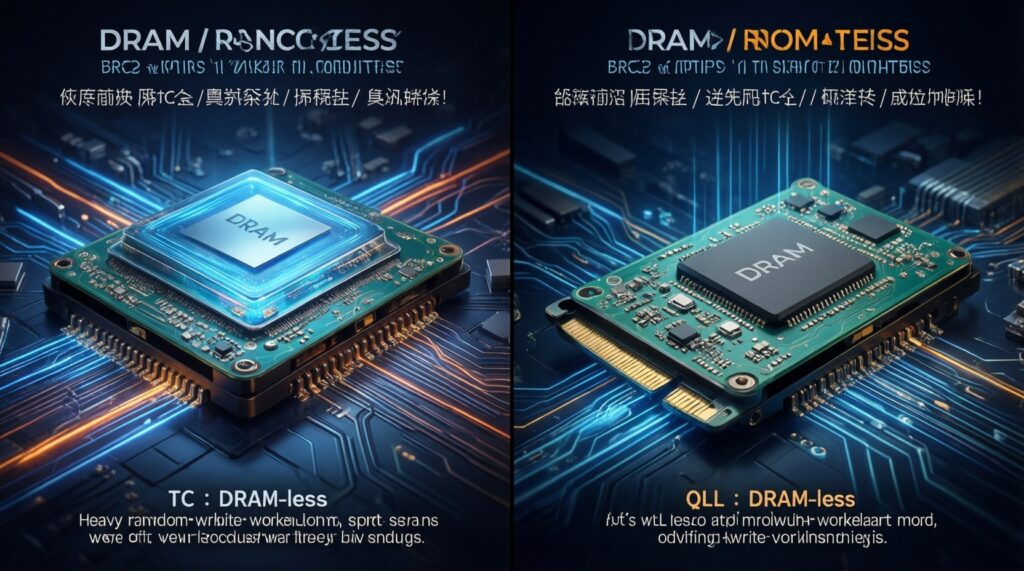
If you're wondering SSD DRAM กับ DRAMless ต่างกันยังไง, the practical answer is about how the SSD tracks its mapping table (FTL). DRAM drives keep that table in fast memory, typically improving consistency under mixed workloads. DRAM-less drives often rely on Host Memory Buffer (HMB) on NVMe, or more aggressive caching, which can be fine for lighter use.
- Good fit for DRAM: Windows/macOS boot drive, frequent app/game installs, creator workloads, compilation, VM images, heavy multitasking.
- OK for DRAM-less: secondary game library (mostly reads), office/browsing, light photo work, basic laptop upgrades where budget is tight.
- When not to pick DRAM-less: sustained writes (large video exports, disk-heavy scratch), write-heavy NAS-like use, or when you need predictable latency.
Compact spec-to-impact map (what the label really changes)
| Spec / feature | What it changes in real use | Typical risk if you ignore it | Best suited for |
|---|---|---|---|
| DRAM vs DRAM-less (HMB) | Consistency on random writes, responsiveness under load | More stutter when cache is stressed; slower sustained mixed workloads | DRAM: OS + heavy use; DRAM-less: light/secondary |
| TLC vs QLC NAND | Sustained write speed after SLC cache fills; long-term wear behavior | Big slowdowns on long transfers (especially QLC), more sensitivity to being near-full | TLC: general & performance; QLC: capacity-first, mostly read |
| SLC cache (static/dynamic) | Short-burst write speed (copying, installs, downloads) | "Fast then suddenly slow" behavior on long writes | Large-file workflows need predictable sustained performance |
| TBW / DWPD rating | Endurance target tied to warranty | Buying a drive that reaches warranty write limit early in write-heavy use | Workstations, scratch, frequent exports: prioritize clearer/higher endurance |
| Controller + firmware tools | Thermal behavior, error handling, compatibility, update path | Throttling, instability, limited support if issues appear | Any primary drive; especially laptops (thermals) |
NAND Types: TLC, QLC and How They Affect Performance
If your question is SSD TLC กับ QLC ต่างกันยังไง เลือกแบบไหนดี, focus on what happens after the SSD's SLC cache is exhausted. TLC generally keeps better sustained write behavior and tolerates fuller drives more gracefully. QLC can be excellent value per GB, but you must validate sustained writes and plan free space.
Before deciding, prepare the following (no special tools required):
- Your workload profile: mostly read (gaming/library) vs frequent large writes (video, backup, scratch).
- Drive role: OS drive vs secondary storage vs external enclosure.
- Capacity target and how full it will run (plan headroom; fuller drives often slow down).
- Interface constraints: NVMe PCIe generation your device supports, or SATA only.
- Access to official specs: manufacturer product page / datasheet for NAND type, TBW, warranty, and tools.
Interpreting Endurance: TBW, DWPD and Real‑World Lifespan
When people ask ค่า TBW SSD คืออะไร ดูยังไง, treat TBW (Total Bytes Written) and DWPD (Drive Writes Per Day) as warranty-linked endurance limits, not as a stopwatch for sudden failure. Use them to match expected write volume and to compare models in the same capacity class.
Quick prep before you compare endurance (2 minutes)
- Write down the exact model code (not just brand + capacity).
- Confirm capacity tier you will buy (TBW often changes by capacity).
- Find the official TBW/DWPD + warranty on the manufacturer site.
- Estimate whether your use is light (mostly reads) or write-heavy (scratch, exports, frequent backups).
- If you plan long writes, note whether the drive is TLC/QLC and whether it's DRAM/DRAM-less.
Step-by-step: picking an endurance level you can live with
-
Pull endurance from the official spec, not marketplace text
Find TBW (or DWPD) on the manufacturer product page or datasheet for your exact capacity. If it's missing or inconsistent across pages, treat that as a purchase risk.
-
Bind TBW/DWPD to warranty terms
Endurance figures matter most within the warranty window because that's when you have the clearest protection. Prefer combinations where both the warranty duration and TBW/DWPD are clearly documented.
-
Classify your write pattern (bursty vs sustained)
Bursty writes (downloads, game updates) stress cache less than sustained writes (video exports, disk imaging). For sustained writes, TLC and better cache/DRAM behavior often matter as much as TBW.
- If you routinely copy very large files, prioritize drives with predictable post-cache behavior.
- If your SSD stays near full, plan extra headroom to reduce write amplification effects.
-
Compare endurance only within the same capacity class
Don't compare TBW of a smaller drive to a larger drive as if they were equal; capacity tiers often change the endurance spec. Compare like-for-like capacity and interface (NVMe vs SATA).
-
Decide whether you need "endurance-first" models
If you're specifically searching แนะนำ SSD ทนทาน TBW สูง รุ่นไหนดี, narrow candidates to those with clearly published TBW/DWPD, solid warranty terms, and a track record of firmware support. Then validate the controller/caching behavior so it's not just "high TBW on paper."
Controller, Cache and Firmware: What Drives SSD Behavior
Use this verification checklist to avoid surprises like throttling, unstable compatibility, or "fast only in short bursts" performance.
- Controller is identified (model family or at least a consistent platform across reviews); avoid "silent controller swap" reputation where possible.
- Cache method is clear: dedicated DRAM, HMB, or none; don't assume NVMe automatically means DRAM.
- SLC cache behavior is described in credible testing (short-burst vs long sustained writes).
- Thermal design fits your device: laptop slots without heatsinks may trigger throttling on some high-end controllers.
- Firmware update path exists (vendor utility) and is available in Thailand region pages where you will buy/support it.
- SMART health attributes are readable via common tools; vendor utility isn't mandatory but is a plus for diagnostics.
- Power-loss behavior is understood: consumer SSDs usually lack full power-loss protection; be extra cautious for write-critical tasks.
- Encryption/support needs are matched (if you require it): OS support, BitLocker/FileVault compatibility, and whether the SSD's feature set is stable.
Choosing by Use Case: Gaming, Content Creation, Everyday Workloads
If your starting question is เลือกซื้อ SSD แบบไหนดี, decide by workload first, then specs. These are the most common selection mistakes that lead to regret.
- Buying QLC for a workflow that regularly writes large files (exports, projects, disk images) without checking post-cache speed.
- Choosing a DRAM-less drive as the primary OS/work drive and then blaming "Windows stutter" when the workload is actually write-heavy.
- Overpaying for peak sequential numbers while ignoring sustained performance, thermals, and firmware support.
- Picking an SSD that will run constantly near full capacity (low free space), which can reduce sustained write performance and increase wear.
- Ignoring device constraints: PCIe generation support, available cooling, single-sided vs double-sided PCB clearance in laptops.
- Using a "gaming" label as proof of quality; focus on controller platform, NAND type, cache behavior, and warranty clarity.
- Assuming higher capacity always equals faster: some lines have different NAND/controller per capacity tier.
- Not planning for data safety: SSD choice is not a backup strategy; important data needs separate backups.
Benchmarking and Reliability Checks Before Purchase
When you can't find enough trustworthy detail on a specific SKU, use these alternatives to reduce risk:
- Pick a model with consistent third-party sustained-write testing (useful if you move large files often and need predictable behavior).
- Choose a vendor line with strong firmware tooling and long-term support (useful for a primary OS drive where stability matters).
- Prefer TLC + DRAM for "set-and-forget" upgrades (useful for intermediate users who don't want to tune or monitor cache/temps).
- Use QLC only when capacity-per-baht is the priority and your workload is mostly reads (useful for game libraries and media storage, with planned free-space headroom).
Common Practical Clarifications
Is DRAM always faster than DRAM-less?
Not in every short benchmark, but DRAM typically improves consistency under mixed and sustained workloads. DRAM-less can feel similar in light, mostly-read use.
Can QLC be a good choice for gaming?
Yes, if it's mostly game loading (reads) and you keep enough free space. The risk is large installs/transfers that exceed the cache and slow down sharply.
Should I treat TBW as the moment the SSD will fail?
No. TBW is a warranty-linked endurance specification, not a guaranteed failure point; it's best used for comparing suitability and warranty coverage.
Does higher sequential speed mean a better SSD for real work?
Not necessarily. Controller behavior, cache design, thermals, and sustained performance often matter more than peak "up to" numbers.
Is it safe to buy an SSD with unclear controller or changing specs?
It's higher risk. If the controller/NAND platform can change silently, performance and behavior can vary between batches.
What's the simplest "safe default" if I don't want to overthink it?
Choose an NVMe TLC drive with clear TBW/warranty documentation, solid firmware support, and (ideally) DRAM for a primary OS drive. Use QLC mainly for capacity-first, mostly-read storage.