If you're comparing iPhone new vs previous generation for everyday value, the "worth it" upgrades are usually battery endurance under load, faster on-device processing (apps, photos, AI features), and camera usability (stabilization, low light, zoom). For many in Thailand, the best choice is not always the newest model, but the right tier for your persona and upgrade cycle.
Practical upgrade verdicts for everyday use
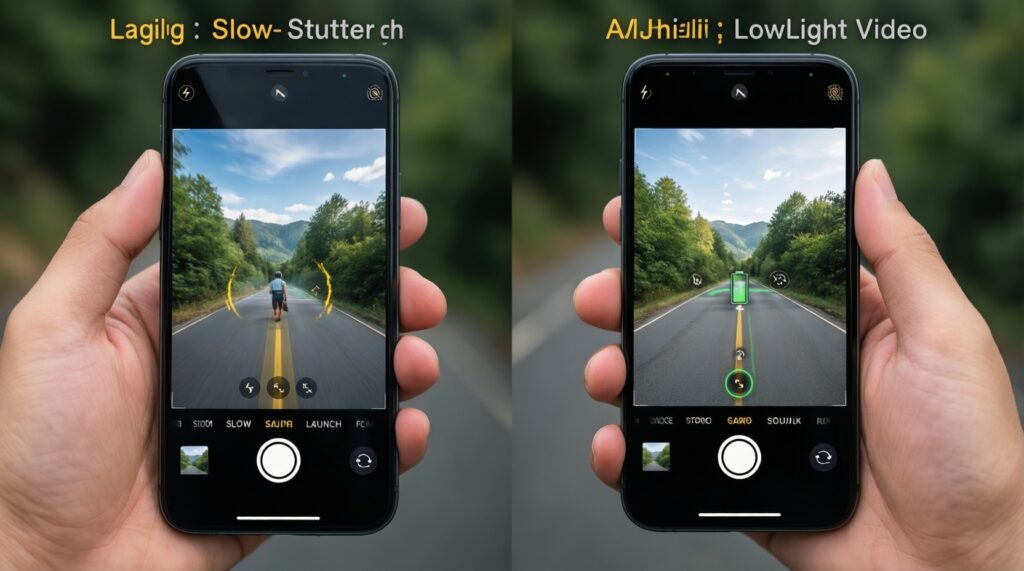
- Upgrade for performance if your current iPhone stutters in navigation, camera launch, or heavy multitasking; otherwise, storage and battery health often matter more.
- Upgrade for camera if you rely on low-light shots, moving subjects, or consistent video; "spec bumps" without better stabilization won't change daily results much.
- Choose size based on commute habits: one-handed use and pocket comfort beat a slightly larger display for many daily workflows.
- Connectivity upgrades matter most when your plan and areas actually deliver them; otherwise, you won't feel faster day to day.
- If you're asking "อัปเกรด iPhone คุ้มไหม", treat it as a workflow decision: what task becomes easier every day (calls, commuting, content, work)?
Performance and battery in daily workflows
Use these criteria when you เปรียบเทียบ iPhone รุ่นใหม่กับรุ่นเก่า and want a practical, not emotional, upgrade decision:
- Your bottleneck task: camera launch speed, photo processing, gaming, work apps, or navigation.
- Battery behavior under load: does it drop fast during video calls, GPS, or 5G?
- Thermal throttling: does the phone get hot and slow down in maps + music + messaging?
- RAM pressure symptoms: apps reloading, keyboard lag, browser tabs refreshing.
- Storage headroom: less free space often hurts performance and forces constant cleanup.
- Charging fit: your real charging windows (commute, desk, car) and whether faster/wireless charging changes habits.
- Battery health reality: if a battery replacement restores your day, it can beat a full upgrade.
- Accessory ecosystem: cables, MagSafe gear, car mounts, gimbals-do you want to keep them?
Camera upgrades you'll actually use every day
Most people feel camera improvements only when they change what you can reliably capture (night scenes, kids/pets moving, stable handheld video, useful zoom). Below are practical options-new and "not-new"-and when each makes sense.
| Option (variant) | Who it fits | Pros | Cons | When to choose |
|---|---|---|---|---|
| Latest iPhone Pro (current-year) | Mobile creator, power user, frequent low-light shooter | Best overall consistency (night, motion, video); most headroom for editing and future features | Highest "ราคา iPhone รุ่นใหม่"; may feel like overkill for casual photos | If camera is part of work/content and you keep phones longer (multi-year) |
| Latest iPhone (base model) | Commuter, everyday social shooter | Modern processing and camera improvements without Pro price; strong "point-and-shoot" reliability | Less zoom flexibility and fewer pro video tools | If you mainly shoot people, food, travel moments and want a simpler buy |
| Last-year iPhone Pro (previous generation) | Value-focused creator, deal hunter | Often the best balance of camera versatility vs cost; "Pro" tools at a lower spend | Shorter runway vs newest; some new features may be limited | If you want Pro camera behavior but refuse top-tier pricing |
| Keep your iPhone + replace battery | Pragmatist, light camera user | Big real-life improvement to uptime; lowest disruption; keeps accessories and setup | Doesn't add new camera capabilities; aging sensors/processing remain | If your biggest pain is dying battery, not missed shots |
| Upgrade storage tier instead of model tier | Traveler, parent, heavy photo/video saver | Fewer "storage full" moments; smoother daily use; less forced deletion and offloading | Doesn't improve optics; costs add up | If you constantly manage space and it interrupts your routine |
Display, size and ergonomics that affect comfort
- If you commute by BTS/MRT and use one hand often, then prioritize the smaller/lighter size even if it means fewer "Pro" perks.
- If you read, review spreadsheets, or edit photos on-device daily, then choose the larger display for less eye strain and fewer zoom/scroll actions.
- If you film handheld video or shoot lots of night scenes, then a model with better stabilization (often higher tiers) will feel more valuable than extra screen size.
- If your phone lives in pockets/bags with frequent pickups (delivery riders, field roles), then lighter weight and grippier cases matter more than thinness.
- If you're sensitive to PWM/flicker or get headaches, then test the display in-store in Thailand before committing-comfort beats specs.
Connectivity, sensors and real-world speed gains
- Map your daily network: home Wi‑Fi, office Wi‑Fi, commute areas, and where you actually need speed.
- Decide what "fast" means: quicker uploads, smoother video calls, better hotspot stability, or faster payments/tap-to-connect.
- Check your plan and devices: if your router and plan are older, a new phone won't magically fix weak Wi‑Fi.
- Prioritize reliability features: better antennas and newer modems matter when you often sit at the edge of coverage.
- Validate your must-have sensor use: navigation accuracy, car use, fitness tracking, or any workflow that depends on stable location and motion sensing.
- Buy for your next 2-4 years: if you keep phones longer, newer standards can reduce friction later-even if the gain is subtle today.
Software support, security and long-term value

- Overpaying for top-tier specs when your daily apps don't benefit (messaging, banking, light social) and you could get the same comfort from a battery refresh.
- Choosing based on launch-day hype instead of your bottleneck task (camera reliability vs gaming vs work apps).
- Ignoring storage: running close to full makes everything feel slower and forces constant maintenance.
- Assuming connectivity upgrades will be noticeable everywhere-your real locations and plan decide that.
- Buying a large phone "for the screen" and then hating one-handed use, pockets, and weight every day.
- Chasing camera specs (megapixels, extra lenses) while skipping what matters: stabilization, focus reliability, and low-light consistency.
- Not budgeting for ecosystem costs (case, screen protector, charger, MagSafe gear), which changes total value.
- Forgetting resale timing: the best value often comes from selling while the old device still has strong demand, not after it becomes "too old" to move easily.
Price tiers and which persona should upgrade
For a commuter who wants convenience and reliability, the best fit is often the latest base iPhone (or last-year base if discounted) because it improves daily speed without the highest ราคา iPhone รุ่นใหม่. For a mobile creator, the best fit is a Pro-tier (current-year if work depends on it, last-year Pro if value matters). For a power user, choose the newest Pro you can justify for sustained performance and headroom. If you're mainly fixing battery anxiety, keep your current phone and replace the battery-then reassess what iPhone รุ่นไหนดีน่าซื้อ for your next full cycle and ซื้อ iPhone รุ่นไหนดี 2026 after you've tested sizes in hand.
Short answers to common buying doubts
Is upgrading every year worth it for normal use?
Usually no-unless your daily bottleneck is camera/video or heavy performance work. Most people feel bigger gains by upgrading every few years or choosing a better tier for their tasks.
Which matters more: chip speed or battery health?
If your phone is slow even when fully charged, chip/performance helps. If it's mainly dying early or throttling from heat, battery health (or replacement) often fixes more.
Should I pick latest base iPhone or last-year Pro?
Pick latest base for simplicity, fresh support runway, and balanced everyday use. Pick last-year Pro if you want zoom/stabilization/pro video tools but want better value.
How do I decide the right size quickly?
Simulate your commute: one-handed typing, pocketing, and quick photo capture. If that feels awkward in-store, you'll dislike it daily.
Will I notice better connectivity immediately?
Only if your networks and areas support it well. In many real routes, reliability (fewer dropouts) matters more than peak speed.
What's the most common way people overspend?
Buying Pro for bragging rights when they rarely use zoom, video tools, or low-light shooting. Match spending to a task you do weekly, not a feature you admire once.
If I'm unsure, what's the safest purchase?
A current mainstream model in a comfortable size with enough storage is the lowest-regret choice. If your current phone's main issue is battery, do the battery first and re-evaluate.