If you're upgrading a GPU in Thailand this year, pick by your real target: 1080p high-refresh, 1440p "ultra" with headroom, 4K with upscaling, or AI workloads that need VRAM. Start from resolution and monitor, then budget, then power/thermals and memory needs, and only then choose a specific model tier.
Upgrade Summary: Best GPU Choices for 1080p, 1440p, 4K and AI
- 1080p esports/high-refresh: prioritize efficiency and stable 1% lows; midrange GPUs are usually enough.
- 1440p "set-and-forget": aim for stronger raster + modern upscaling/frame-gen support for longevity.
- 4K: treat it as an upscaling-first target; VRAM and memory bandwidth matter more than at 1080p.
- AI and creator work: choose by VRAM capacity, software ecosystem, and whether you need training vs. inference.
- PSU, case airflow, and connector compatibility can veto an otherwise "best" GPU choice.
Target Performance by Resolution: What to Expect at 1080p, 1440p and 4K
Use these criteria to decide what class of GPU you actually need before comparing models (especially if you're searching in Thai like การ์ดจอเล่นเกม 1080p แนะนำ or การ์ดจอเล่นเกม 1440p รุ่นไหนดี):
- Monitor target: resolution and refresh rate; 1080p/240Hz is a different problem than 1440p/165Hz.
- Game mix: esports/competitive vs. heavy single-player titles; the latter stresses VRAM and effects.
- Settings philosophy: native vs. upscaling; max settings vs. tuned settings (shadows/RT are big levers).
- Ray tracing expectations: "RT off" changes the tier you need; "RT on" pushes you upward quickly.
- VRAM headroom: high-res textures, mods, and creator/AI tools can force higher VRAM tiers.
- CPU balance: at 1080p high FPS you can become CPU-limited even with a fast GPU.
- Upscaling/frame generation support: treat it as a feature requirement, not a benchmark trick.
- Power/space constraints: PSU wattage, GPU length/slots, and case airflow may narrow the shortlist.
Price Brackets and Value Picks: Entry, Midrange, High-End, and Ultra
Below are practical "tiers" you can shop across brands. This avoids chasing a single "best card" when your real question is closer to ซื้อการ์ดจอ รุ่นไหนดี 2026 based on your monitor and workload.
| Option | Who it fits | Pros | Cons | When to choose |
|---|---|---|---|---|
| Entry 1080p tier (e.g., RTX 4060 / RX 7600 class) | 1080p high settings, esports, efficient builds | Low power draw; compact cards common; good uplift vs. older midrange | Less headroom for heavy RT and future 1440p aspirations | When you want a clean 1080p upgrade without changing PSU/case |
| Upper-mid 1080p / baseline 1440p (e.g., RTX 4060 Ti / RX 7700 XT class) | 1080p high-refresh with better lows; 1440p with tuned settings | More consistent frametimes; better longevity than entry | Can feel "in-between" if you truly want 1440p ultra or lots of RT | When you're moving to 1440p soon but aren't ready for the next tier |
| Mainstream 1440p sweet spot (e.g., RTX 4070 Super / RX 7800 XT class) | 1440p high/ultra with upscaling; balanced gaming builds | Strong all-round performance; typically best comfort zone for 1440p | 4K is possible but usually "upscaling-first"; RT-heavy titles may still require compromises | When 1440p is your primary goal and you want headroom for new games |
| High-end 1440p / practical 4K (e.g., RTX 4080 Super / RX 7900 XTX class) | 1440p max settings; 4K with high settings + upscaling | Comfortable 4K experience in many games with sane settings; more VRAM/bandwidth on some SKUs | Requires strong PSU/case cooling; price-to-value depends heavily on local promos | When you're asking การ์ดจอ 4K รุ่นไหนดี ราคา and you want a "no-drama" 4K setup |
| Ultra flagship (e.g., RTX 4090 class) | 4K high-refresh ambitions; heavy creator + AI needs | Maximum headroom; best for large AI models on a single GPU (VRAM-dependent) | Large, hot, power-hungry; usually needs a premium PSU and excellent airflow | When you're constrained by time-to-result more than cost, and your system can support it |
Recommendation cards (quick matching)
- 1080p high-refresh gamer: start at the Entry 1080p tier; move up one tier if you want higher 1% lows in busy scenes.
- 1440p "buy once, relax": Mainstream 1440p sweet spot is the default; it's the least regret-prone for most intermediate users.
- 4K living-room/AAA focus: High-end 1440p / practical 4K tier is typically the most sensible ceiling before diminishing returns.
- Work + play (editing + gaming): pick the tier that meets your gaming target, then choose the GPU ecosystem that best supports your apps.
AI Acceleration: GPUs Suited for Inference, Training, and Creative Workflows
For การ์ดจอสำหรับ AI และ Machine Learning รุ่นไหนดี, prioritize VRAM capacity, stability, and your software stack over gaming-only benchmarks. Use these rules:
- If you mainly run local inference (chat, image generation) and multitask, then prioritize VRAM and avoid "just enough" memory configurations that force constant swapping.
- If you plan to train or fine-tune models locally, then choose the highest VRAM tier you can realistically cool and power, and prefer cards with mature ML tooling support in your workflow.
- If you do video editing/motion graphics plus occasional AI tools, then pick the GPU family best supported by your editor's hardware acceleration and plugins, then size VRAM for your timeline complexity.
- If you use 3D rendering + AI denoisers, then prioritize features and driver reliability for your renderer (CUDA/OptiX vs. alternatives), not just raw raster gaming performance.
- If you want one machine for 4K gaming and AI, then treat it like a 4K build first (thermals/PSU), and select the highest VRAM option within that tier.
Thermals, Power Draw and System Compatibility: Practical Constraints
- Confirm PSU headroom: check wattage, quality, and available PCIe power connectors; plan for transient spikes and aging PSUs.
- Check physical fit: GPU length, thickness (slot count), and front radiator/fan clearance in your case.
- Airflow reality check: at least one strong intake and one exhaust; ensure the GPU isn't recycling hot air.
- Plan noise targets: choose cooler designs that match your tolerance (bigger heatsinks generally help at the same power).
- Balance the CPU: for 1080p high FPS, confirm your CPU won't cap performance; for 4K it's less critical but still matters for minimums.
- Ports and display needs: confirm HDMI/DisplayPort versions and the number of outputs you need.
- Driver/app support: ensure your key games and creative/AI tools run well on your chosen GPU ecosystem.
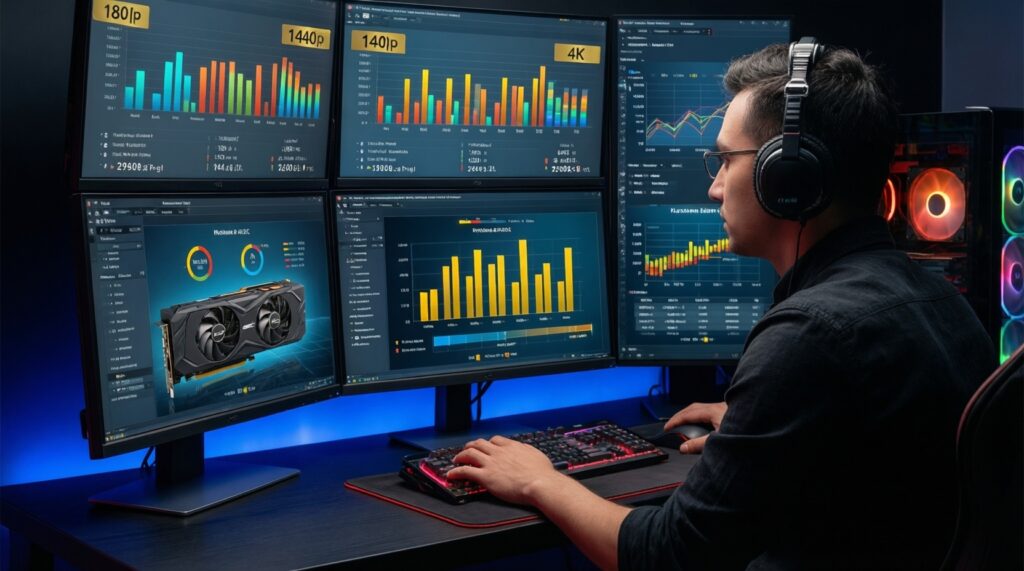
Real-World Benchmarks and Game/Workload Comparisons (Table Included)

Common upgrade mistakes that distort "benchmarks" in real systems (and lead to wrong conclusions about what's best):
- Ignoring your actual resolution: buying for 4K when you play at 1080p (or vice versa) misallocates budget.
- Chasing averages only: frametime consistency and 1% lows can matter more than a higher average FPS.
- Assuming RT settings are comparable: RT presets vary wildly by game; compare with matched settings and upscaling mode.
- Underestimating VRAM: texture packs, mods, and creator tools can break "fine on paper" configs.
- Forgetting the CPU at 1080p: a faster GPU may show little gain if you're CPU-limited in competitive titles.
- Overlooking PSU/case limits: thermal throttling or unstable power makes any GPU look bad.
- Mixing driver generations: compare with up-to-date drivers and consistent OS/game versions.
- Buying solely by brand or a single game: pick for your top 5 games and your primary non-gaming workload.
Decision Roadmap: How to Choose Based on Budget, Use Case and Upgrade Timing
- If your monitor is 1080p and you care about efficiency/noise, go Entry 1080p tier; move to Upper-mid only if you need steadier lows.
- If your monitor is 1440p and you want high/ultra without constant tweaking, start at the Mainstream 1440p sweet spot.
- If your target is 4K, shortlist High-end 1440p / practical 4K first; go Ultra flagship only if you're chasing high-refresh 4K or heavy AI work.
- If AI is a priority, pick the highest VRAM you can cool/power, then verify your ML/creator software support before paying extra.
Best fit for most 1440p builds is the mainstream 1440p sweet-spot tier; best fit for straightforward 1080p upgrades is the entry 1080p tier; best fit for comfortable 4K gaming is the practical 4K tier; best fit for mixed gaming plus serious local AI is the highest VRAM tier your PSU, case, and budget can support without compromises.
Concise Solutions to Common Upgrade Decisions
Should I buy for 1080p today if I plan to move to 1440p soon?
If the monitor upgrade is within your next cycle, target at least the baseline 1440p tier so you don't have to replace the GPU again. If 1440p is uncertain, buy for 1080p and keep the build efficient.
What matters more for 4K: core speed or VRAM?
For 4K, VRAM headroom and memory subsystem often become limiting earlier than at 1080p. Core performance still matters, but a VRAM-constrained card can force settings cuts regardless of GPU speed.
Is upscaling a "must" for 4K?
In many modern titles, 4K is most practical when you treat upscaling as a standard tool. Pick a GPU tier where your preferred upscaling mode looks good to you, not just where native benchmarks look impressive.
How do I choose between AMD and NVIDIA for AI work?
Decide based on your exact tools and frameworks first, then VRAM and stability. For many ML stacks, ecosystem support can outweigh small gaming performance differences.
Will my CPU bottleneck a new GPU at 1080p?
It can, especially in competitive games at very high FPS targets. If your GPU upgrade doesn't raise FPS much at 1080p, test higher resolutions/settings to see if you're CPU-limited.
When should I wait instead of buying now?
Wait if you must also replace PSU/case/cooling to run the GPU you want, or if your current GPU already meets your target with minor settings changes. Buy now if you're below your target in your top games and the rest of your system is ready.
What's the safest single upgrade choice for a mixed gaming + creator PC?
Pick the tier that meets your gaming resolution first, then choose the model with enough VRAM for your creator projects. Stability (thermals/PSU) usually improves real productivity more than a small theoretical speed gain.