The new Android release improves security and privacy mainly through tighter runtime permissions, stronger app sandboxing, clearer privacy visibility, safer network defaults (Private DNS/TLS/VPN handling), and hardened authentication (Keystore/passkeys). You still need to configure settings, review app behavior, and accept device/vendor limits-especially across Thai carrier builds and older devices.
Top security and privacy changes in the new Android release
- More granular permission prompts, including background/one-time choices, reduce silent access after you อัปเดต Android เวอร์ชันใหม่.
- Stronger isolation (sandboxing + scoped storage) limits what apps can read even when installed.
- Privacy dashboards and access indicators make it easier to audit camera/mic/location usage and revoke access quickly.
- Network protections (Private DNS, improved TLS handling, and more predictable VPN routing) reduce interception risk, with trade-offs around compatibility.
- Authentication hardening (biometrics + hardware-backed keys + passkeys) improves phishing resistance, if implemented correctly.
- Enterprise policies now offer more control over app installs, compliance, and managed profiles without relying on "all-or-nothing" device lockdown.
Granular permission controls and runtime prompts
Granular permission controls mean the OS asks for sensitive access (like location, camera, microphone, notifications, nearby devices) at the moment an app needs it, and lets users choose narrower scopes. The goal is to reduce "permission debt" where apps keep long-term access after a one-time task.
In practice, the new Android release pushes developers toward requesting the minimum required permission and just-in-time prompts, while giving users clearer options such as "only while using," "ask every time," or "deny." This matters when choosing a สมาร์ทโฟน Android ที่เน้นความเป็นส่วนตัว because privacy depends as much on OS UX and vendor consistency as on hardware.
Boundary: permissions do not stop data sharing that you explicitly provide to an app (e.g., you upload contacts), and they don't prevent server-side tracking once the app legitimately receives data. They also won't fully protect against accessibility abuse if you grant Accessibility Service privileges to untrusted apps.
- Review high-risk permissions (location, mic, camera, accessibility) immediately after installing apps.
- Prefer "only while using" or "ask every time" for infrequent apps (flashlights, QR scanners, ride-hailing when not traveling).
- Remove accessibility permissions from apps that aren't assistive tools.
- Re-check permission drift after OS upgrades and major app updates.
Enhanced app isolation, sandboxing and scoped storage updates
These changes reduce the impact of a compromised app by narrowing what it can access and how it can interact with other apps and shared storage. The mechanics typically include:
- Per-app sandboxing: each app runs with its own UID and isolated data directory; other apps can't read it without explicit sharing.
- Scoped storage: direct filesystem access to shared storage is restricted; apps use mediated APIs, limiting bulk file scraping.
- Stricter inter-process communication (IPC): exported components and intents are more tightly controlled; misconfigurations become harder to exploit.
- Background execution limits: reduces stealthy long-running services that can exfiltrate data, at the cost of some "always-on" features.
- Safer dynamic code/loading constraints: reduces attack surface from loading untrusted code paths.
Trade-off note: stronger storage restrictions can break legacy file-manager workflows and some backup tools. Mitigation is to use system document pickers and official backup APIs instead of broad filesystem permissions.
- Audit apps that request broad file access; replace them if they can't function with scoped storage.
- Use OS share sheets/document pickers rather than granting "manage all files" to convenience apps.
- Keep WebView/Chrome updated; isolation helps, but browser components remain high-value targets.
Privacy dashboard, telemetry controls and audit logs
These features are applied when you need to understand and control data access over time, not just at install. Typical scenarios:
- Post-install verification: after adding a social app, check whether it accessed location/camera in the background.
- Work/personal separation: verify what a managed work profile app can see versus personal apps.
- Unexpected battery or data usage: correlate access indicators with spikes to spot suspicious background behavior.
- Travel in Thailand: when connecting to hotel Wi‑Fi, audit apps that suddenly request "nearby devices" or location repeatedly.
- Kid/elderly device maintenance: quickly identify apps that repeatedly trigger mic/camera access.
Trade-off note: dashboards show OS-observed access, not what happens after the app uploads data. Mitigate by limiting permissions, restricting background data, and using reputable apps with clear policies.
- Open the privacy dashboard weekly for the first month after an อัปเดต Android เวอร์ชันใหม่.
- Revoke permissions from apps you haven't used in 30 days.
- Disable background data for apps that don't need it (especially games and coupon apps).
- Turn off ad personalization controls where available in your build.
Network security: Private DNS, improved TLS handling and VPN routing
Network hardening reduces interception risks on public and carrier networks by strengthening name resolution, encryption negotiation, and VPN behavior. It's especially relevant if you rely on VPN สำหรับ Android ที่ดีที่สุด claims-because the OS routing model and DNS settings determine what traffic is actually protected.
Benefits you can realistically expect
- Private DNS (DNS-over-TLS) can reduce DNS tampering and passive monitoring on untrusted Wi‑Fi.
- Improved TLS handling helps apps and the OS prefer safer encryption defaults where supported.
- More consistent VPN routing can reduce accidental "leaks" when switching networks or waking the device.
- Clearer per-network trust behavior (e.g., warnings for captive portals) can reduce credential theft.
Limitations and failure modes to plan for
- Compatibility issues: some corporate networks and legacy routers can break with Private DNS.
- Not all apps honor VPN equally: misconfigured apps or split-tunneling policies can bypass intended routes.
- DNS is not the whole story: Private DNS protects name queries, not the content unless HTTPS/TLS is used.
- Vendor/carrier variations in Thailand can change defaults and UI availability across models.
Concise command example for debugging Private DNS resolution on a device connected via ADB:
adb shell getprop | grep -i dns- Enable Private DNS in "Automatic" first; switch to "Private DNS provider hostname" only if you trust and test the provider.
- Test VPN behavior after network changes (Wi‑Fi ↔ 5G) and after sleep/wake cycles.
- Don't buy based on "VPN สำหรับ Android ที่ดีที่สุด" marketing alone; verify kill-switch and DNS behavior.
Authentication hardening: biometrics, keystore and passkeys
Authentication hardening reduces account takeover and local device compromise impact. The most common mistakes and myths are:
- Myth: biometrics replace strong screen locks. In reality, biometrics usually depend on a secure lock (PIN/password) as fallback; weak PINs undermine security.
- Mistake: storing secrets outside hardware-backed protection. Tokens and keys should be stored via platform keystore, not in plain preferences or local databases.
- Myth: passkeys are "just another password manager." Passkeys are phishing-resistant when used correctly, but account recovery and device transfer still matter.
- Mistake: ignoring lockout and fallback behavior. After multiple failures, fallback to PIN/password becomes the attack focus.
- Mistake: relying on an antivirus app as the primary control. Even the best plan can't be reduced to แอนติไวรัส Android ราคา; configuration and app trust dominate outcomes.
Trade-off note: stronger authentication can reduce convenience and increase support tickets (forgotten PIN, recovery loops). Mitigate with documented recovery steps and staged rollout for organizations.
- Use a long PIN or password; avoid 4-digit PINs on devices handling banking or corporate email.
- Turn on passkeys where your critical accounts support them; keep recovery methods current.
- Prefer hardware-backed biometrics on reputable devices-often associated with "มือถือ Android รุ่นใหม่ ปลอดภัยที่สุด" positioning, but verify update cadence.
Enterprise deployment: policy controls, app management and compliance
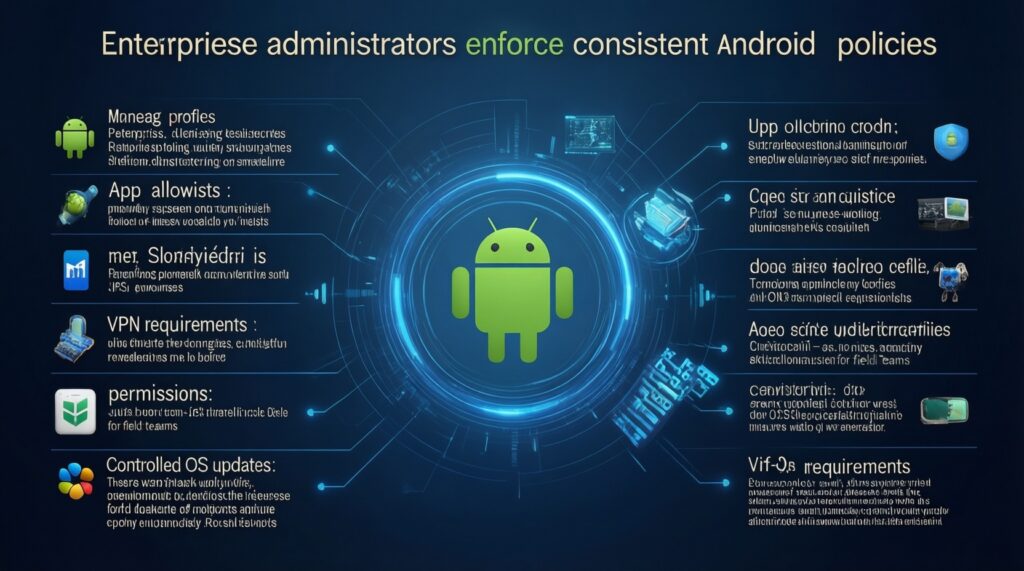
In enterprise or regulated setups, the new Android release matters less for flashy features and more for policy enforcement consistency: managed profiles, app allowlists, permission policies, VPN requirements, and OS update management.
Mini-case (Thailand field sales team): you deploy managed devices to staff using public Wi‑Fi and LINE-based communication. You enforce work profile separation, require a VPN, and restrict side-loaded APK installs to reduce malware risk after an อัปเดต Android เวอร์ชันใหม่.
Mini pseudo-policy you might express in your MDM baseline (conceptual, vendor-neutral):
policy:
  work_profile: enforced
  apps:
    allowlist: [com.company.crm, com.google.android.gm]
    block_unknown_sources: true
  network:
    always_on_vpn: true
    private_dns_mode: automatic
  permissions:
    location: while_in_use_only
    accessibility_services: blocked_except: [trusted_assistive_tool]
Trade-off note: stricter controls can break user workflows (file sharing, printing, legacy VPN). Mitigate with a pilot group, exception handling, and clear user comms.
- Pilot policies on 5-10 devices across different Thai carrier builds before full rollout.
- Lock down side-loading and unknown sources; use managed Play distribution.
- Require always-on VPN for work profile traffic when risk warrants it; document exceptions.
- Define a support path for Private DNS/VPN compatibility issues.
Self-check after upgrading (quick)
- Re-check high-risk permissions for top 10 apps (location, mic, camera, accessibility).
- Confirm Private DNS and VPN behavior after switching networks and after reboot.
- Verify lock screen strength and passkey availability for primary accounts.
- Remove or replace apps that require broad file access without a clear need.
Practical questions on deployment, compatibility and debugging
Will I get all new security and privacy features right after I update?
Not always. Vendor UI, carrier builds in Thailand, and app-level adoption can delay or hide features even after an อัปเดต Android เวอร์ชันใหม่.
Does "newest Android phone" automatically mean the safest?
No. "มือถือ Android รุ่นใหม่ ปลอดภัยที่สุด" depends heavily on update cadence, firmware integrity, and preinstalled apps-verify security patch delivery and bloatware behavior.
Can I rely on privacy dashboards to prove an app is safe?
Dashboards show device-level access events, not everything the app does after it receives data. Use them to revoke permissions and spot suspicious patterns, then remove the app if needed.
What's the first network setting to check for better privacy on public Wi‑Fi?
Enable Private DNS (Automatic) and confirm HTTPS is used for sensitive apps. If you use a VPN, verify it reconnects after sleep and network switching.
Do I need to buy antivirus, and how should I think about cost?
Price alone (แอนติไวรัส Android ราคา) is not a security metric. Prioritize OS updates, app source control, and permission hygiene; consider antivirus only as an additional layer for high-risk users.
How do I choose a VPN app without falling for marketing claims?
Treat "VPN สำหรับ Android ที่ดีที่สุด" lists as starting points. Validate always-on support, kill switch behavior, DNS handling, and whether it routes all traffic as you expect.
What's a practical debugging step if I suspect DNS or VPN leaks?
Switch networks (Wi‑Fi ↔ mobile data), then verify behavior again after a reboot. If you have ADB access, check DNS-related system properties and retest your VPN connection state.